
What page layouts can I use in my story?
Every page in a story uses a page type. Pick one when you add a page, and switch to another layout within that type any time from Display settings.
Some layouts carry a tag. Flexible layouts adjust to the number of items you add. Interactive layouts give your client something to move or click through.

Title
A text page for opening your story or starting a new section. It holds a title, a designed-by line, and a body section.
Thumbnail grid
Flexible. Holds 1 to 14 items of any type. The grid resizes to stay even as you add or remove boxes. Product details appear under each product.
Once an item has been added to a box, click on it to edit the image using Edit image in the tool bar or click on the text to customize the default.

Design and images
Three layouts for designs and images:
- Slider (Interactive): two designs or images in one frame, with a slider your client drags to reveal one or the other. Use it for before and after.

-
Clean image (Flexible): designs or images on their own, with no extra detail.
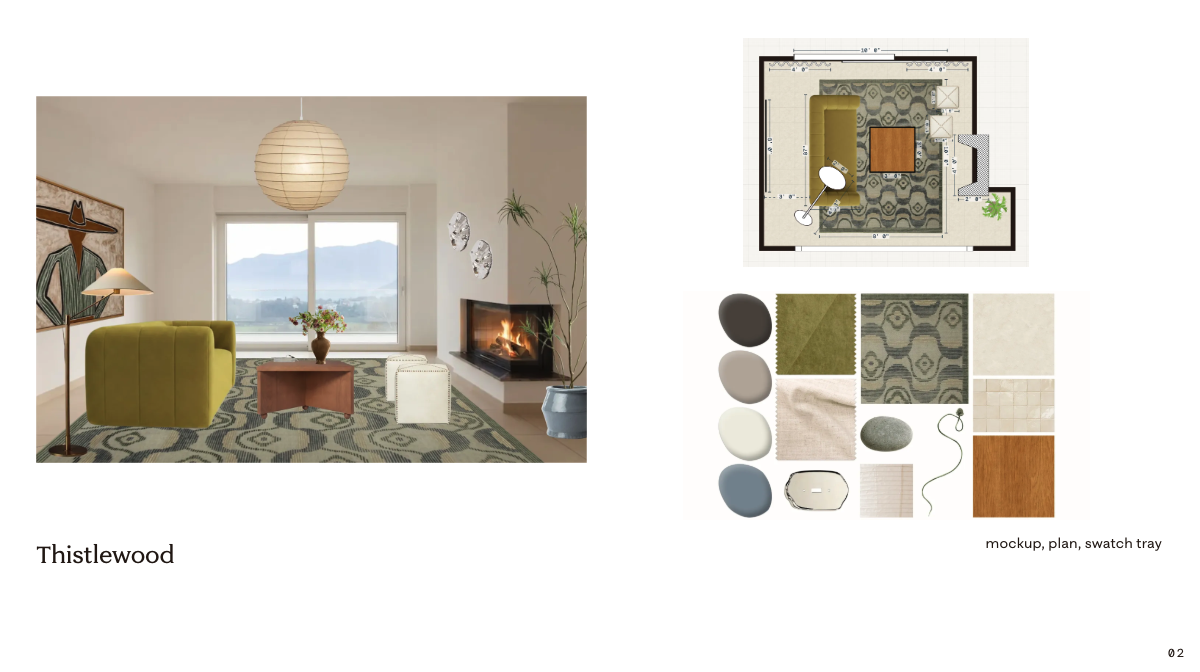
- Image with grid (Flexible): one large design or image beside a grid of items.

Design with products
Two layouts, both Interactive:
- Panel: your design beside a panel listing its products.

-
Carousel: your design above a row of its products.
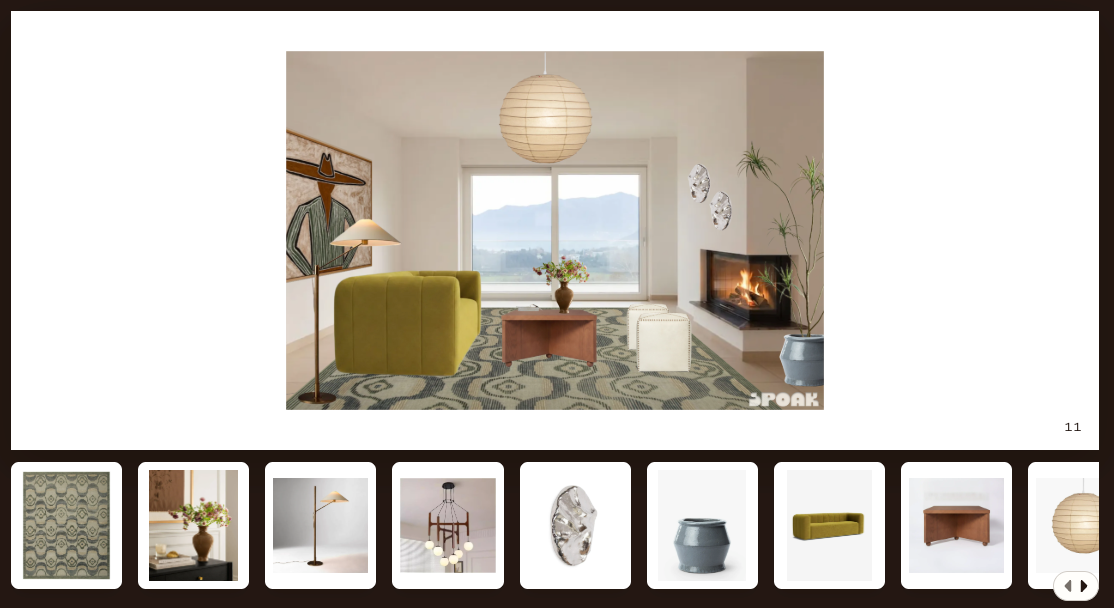
Storyteller fills in the products from the design. You can't add or remove them on the page. To change them, edit the products in the design itself.
The products in these interactive page types are clickable/shoppable according to the overall story settings.