.png)
How do I group items in my design?
Grouping lets you move, resize, and reposition multiple items together as a single unit — useful when you've arranged a vignette or furniture grouping you want to keep intact.
How to group items
- Hold Shift and click each item you want to group.
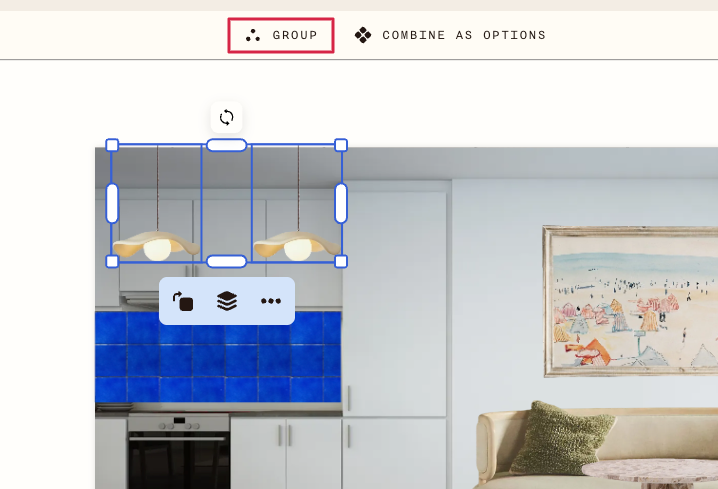
- When more than one item is selected, Group appears at the top of the canvas.
- Click Group.
The items are now grouped. Move or resize the group and everything inside moves together
Ungroup
To ungroup, select the group and click Ungroup at the top of the canvas.
Combine as options
When multiple items are selected, you'll also see Combine as options next to Group. This is a separate feature for creating design alternatives in the same spot.