
Can I remove the Spoak watermark on my downloads?
Watermark removal is a Studio Pro feature and is only available to Pro users.
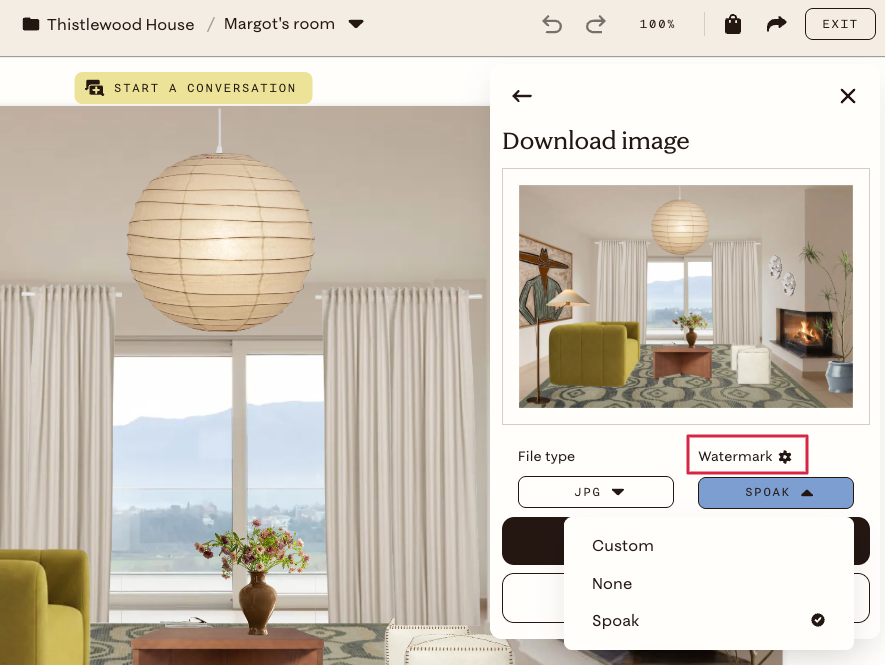
To change or remove the watermark on a single design:
- Open your design.
- Click the share button in the top right corner.
- Click Download.
- Click the menu under Watermark and choose None or Custom for the custom image you added to your Branding.
To customize your default watermark settings and upload your own logo
- Click the menu in the left corner.
- Click Account.
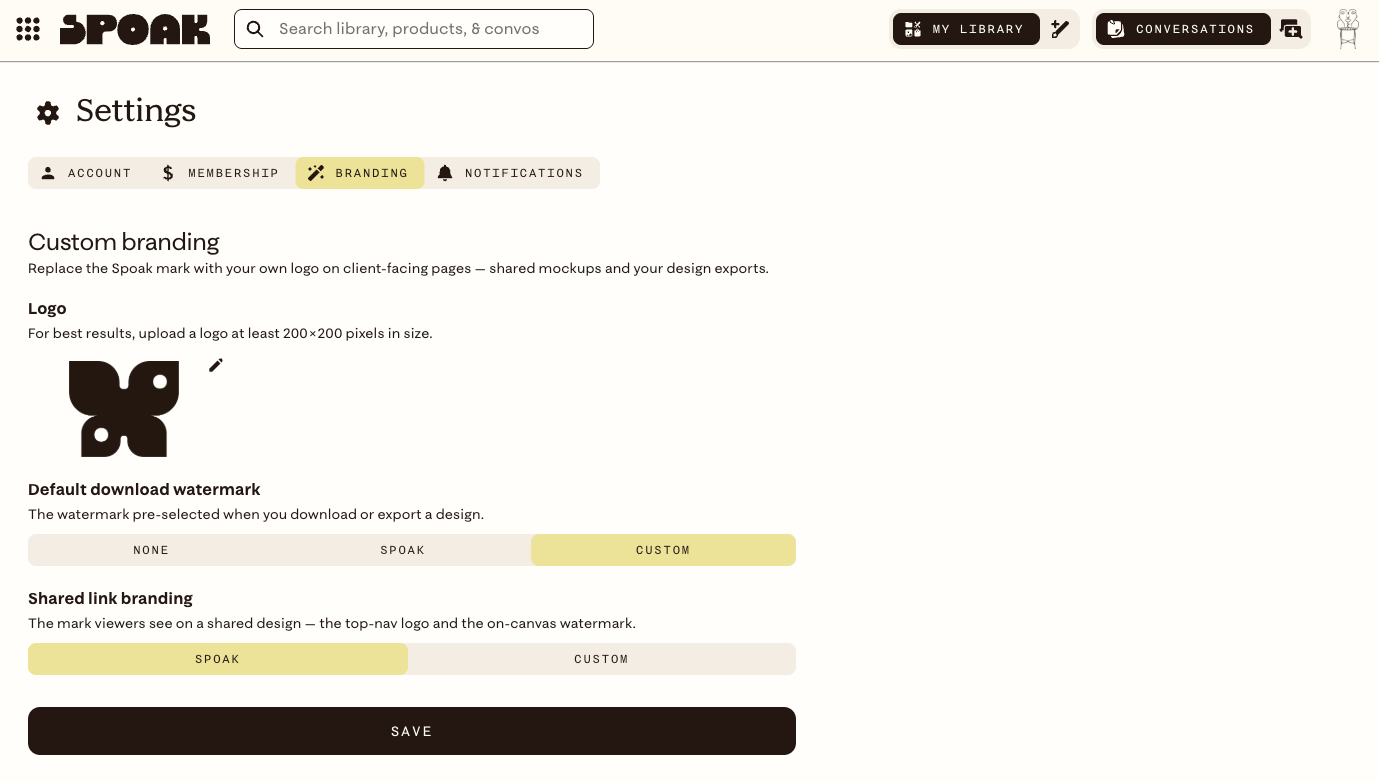
- Click the 🪄Branding tab
- From here you can:
- Upload your own logo image
- Set the pre-selected watermark option for when you download or export a design.
- Choose whether you want to use your custom logo or the Spoak logo when sharing links
If you're not on Studio Pro you won't see the Branding section and the watermark removal option won't appear in the download menu.
See What's included with Studio Pro? for everything that comes with the plan.