.png)
How do I add products to my design that are not already in Spoak?
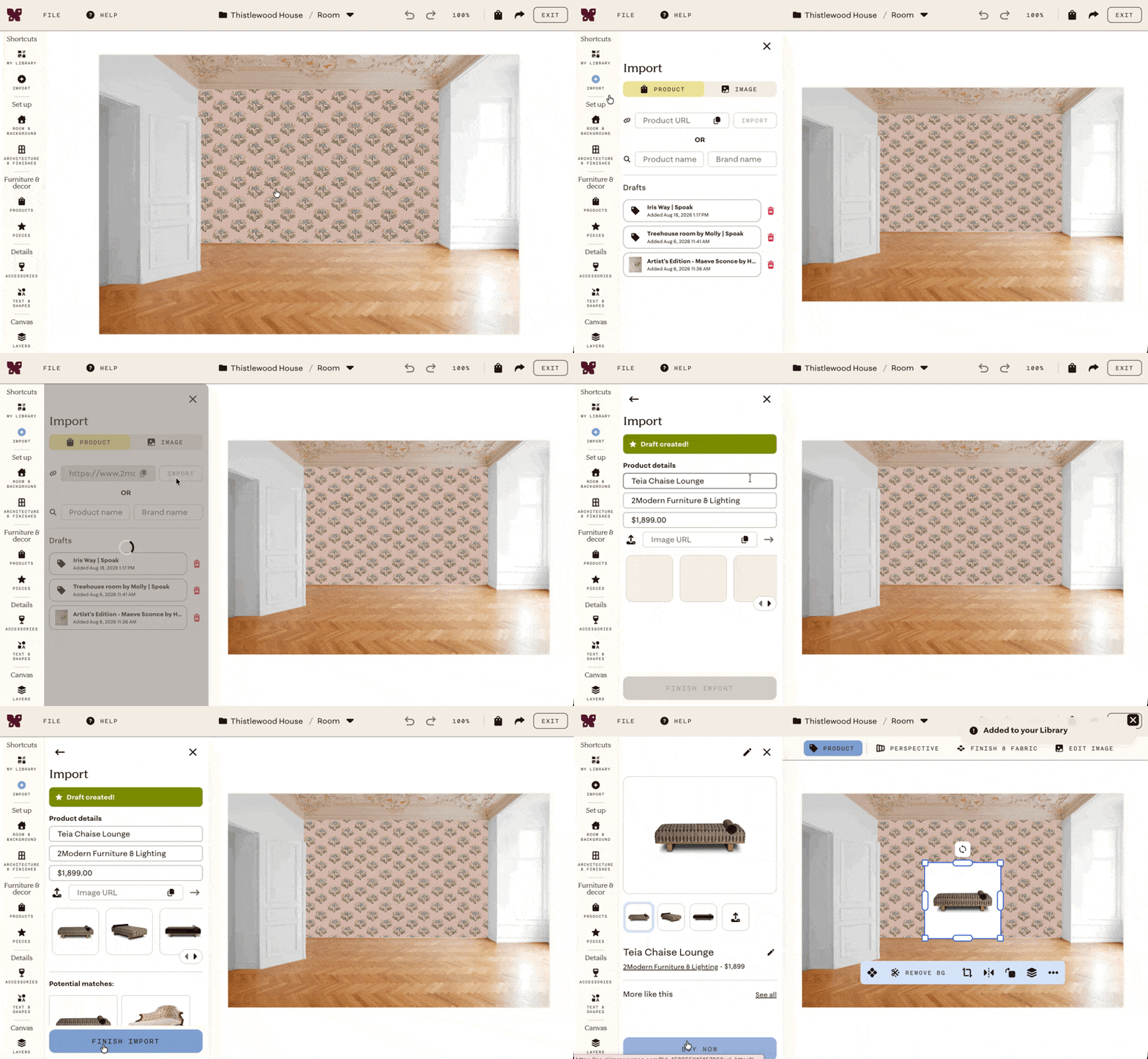
You can import any product from anywhere on the web using its URL.
- Click Import in the left sidebar, or click the ➕ icon in the Products panel or My Library.
- Make sure Product is selected in the importer.
- Paste the product URL from the vendor's website and click Import.
- Check if Spoak has already found a match. If not, click None of these or This isn't right.
- Review the imported product details and edit anything that didn't pull in correctly.
You can also add products while browsing the web using the Spoak Chrome Extension.