.png)
How do I draw walls and set up my plan?
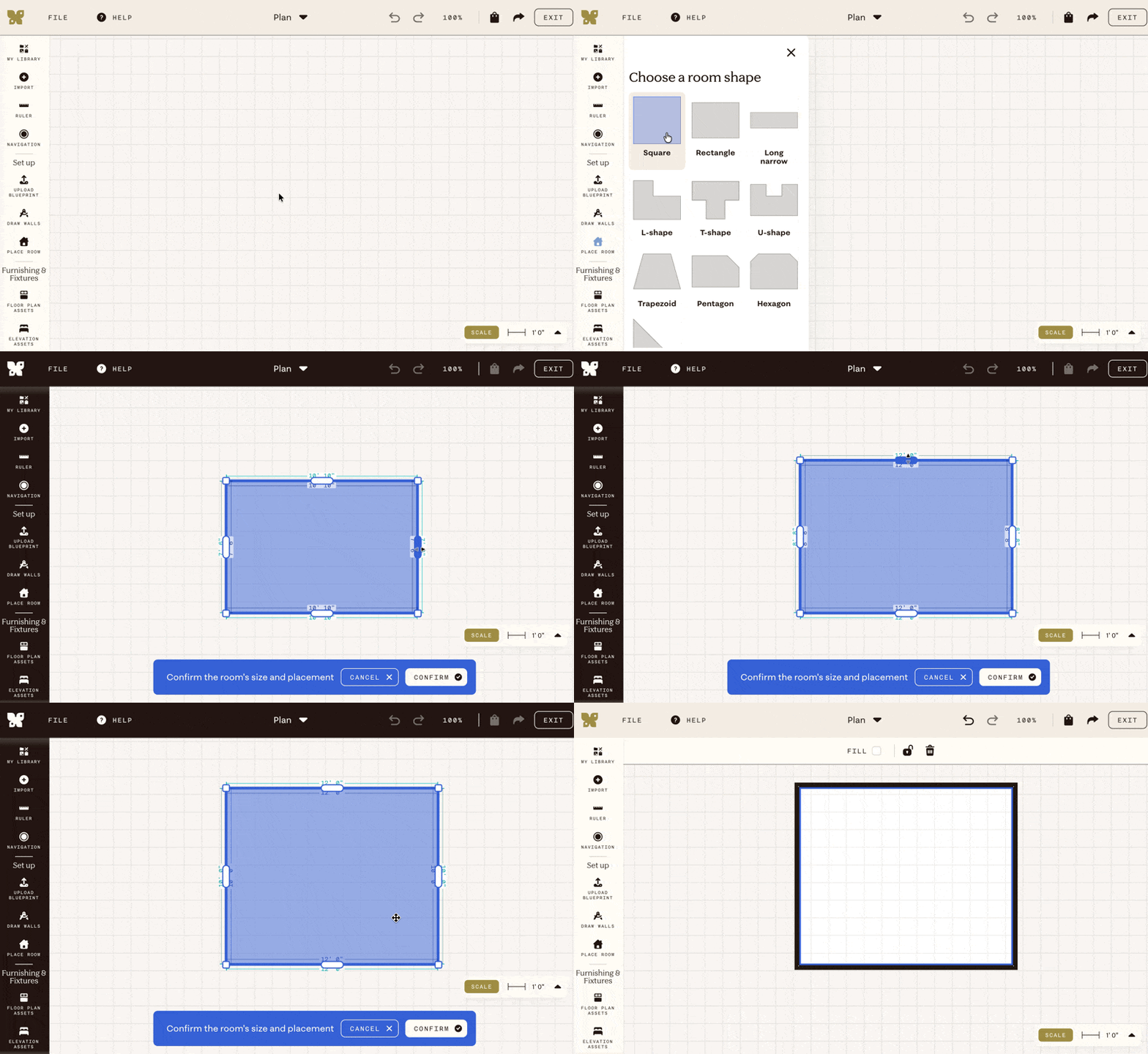
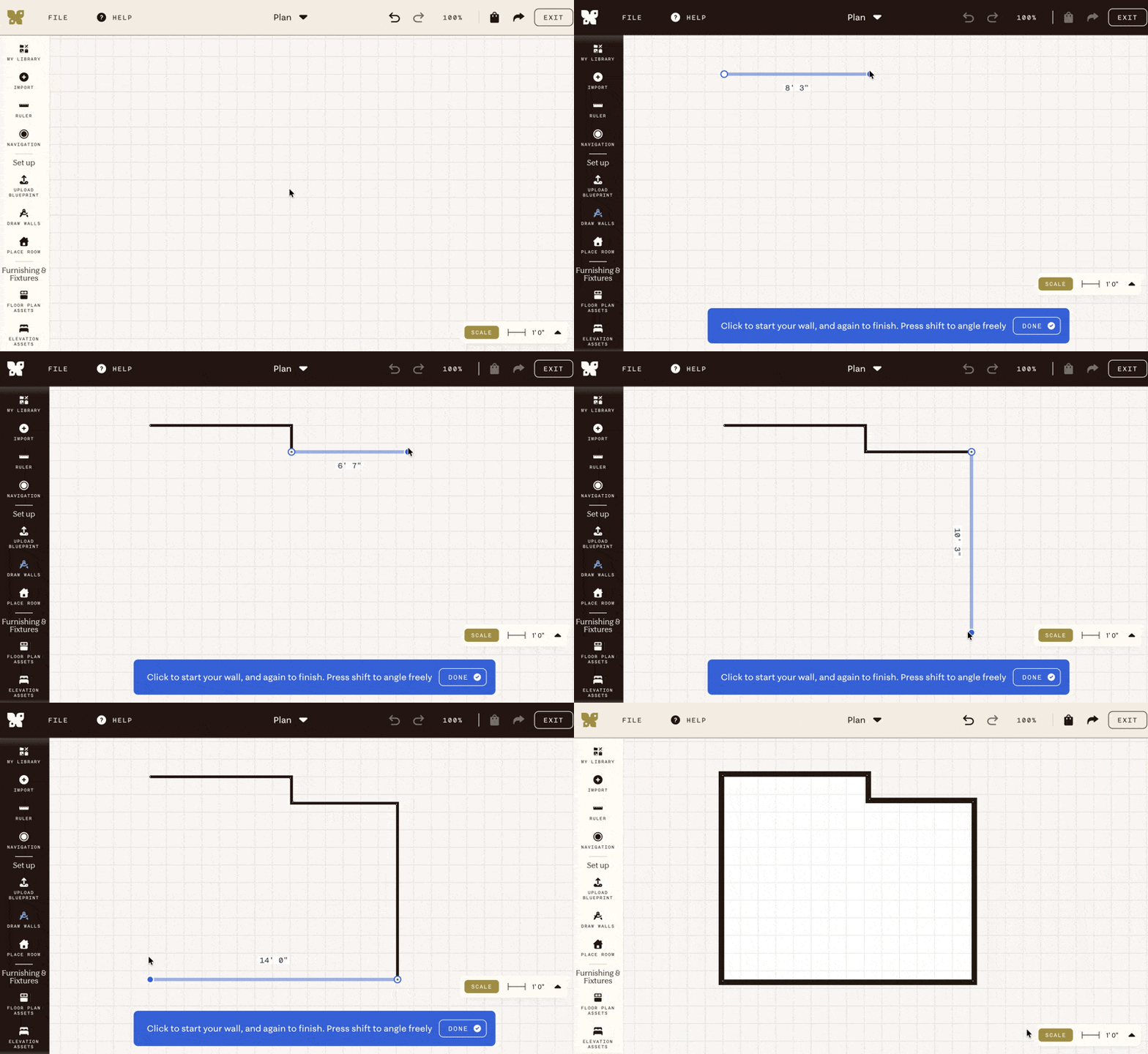
There are two ways to create a room in Plan mode: placing a pre-built room shape, or drawing walls manually.
Place room
The faster option for standard rectangular or L-shaped spaces.
- Click Place room in the left sidebar.
- Choose a room shape and drag the walls or corners to your dimensions.
- Click Confirm to place the room on the canvas.
Draw walls
Better for complex or irregular spaces.
- Click Draw walls in the left sidebar.
- Click anywhere on the canvas to start your first wall.
- Drag in the direction of the wall and click to set its length.
- Hold shift to angle freely.
- Continue clicking to add each connected wall.
- Press Esc or click Exit draw mode when you're done.
Note: The canvas is infinite — start anywhere and expand as needed. The scale bar in the bottom right corner shows your current working scale.