.png)
How do I manage my notification settings?
- Open the Menu in the left corner of the studio at any time
- Click Account.
- Click Notifications.
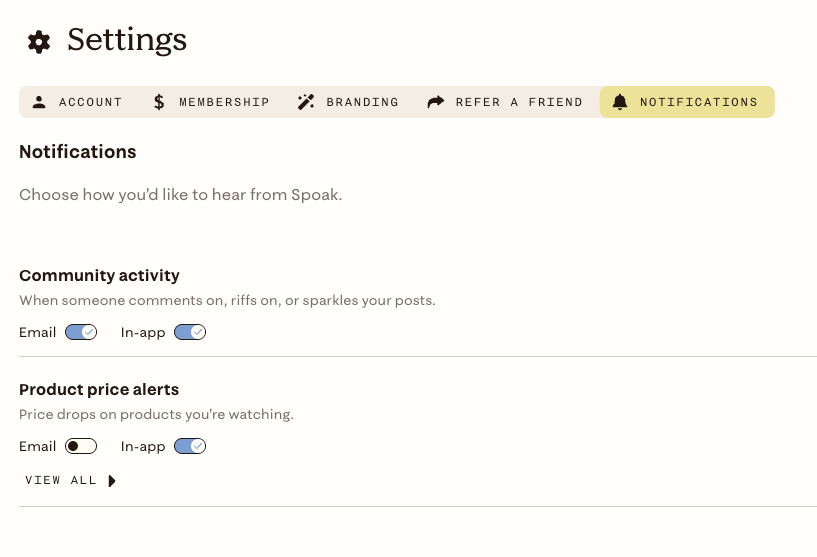
Or use this direct link- Notification Settings
From there you can manage:
- Community Activity — notifications when a person reacts to a conversation post you created
- Price drop alerts — notifications when saved products change in price