.png)
How do I change my display name, username, or email address?
https://studio.spoak.com/settings/account
Display name
- Log in to Spoak and open the Menu in the top left corner
- Click Account.
- Under Account, click into the first/last name fields
- Enter the new name and save
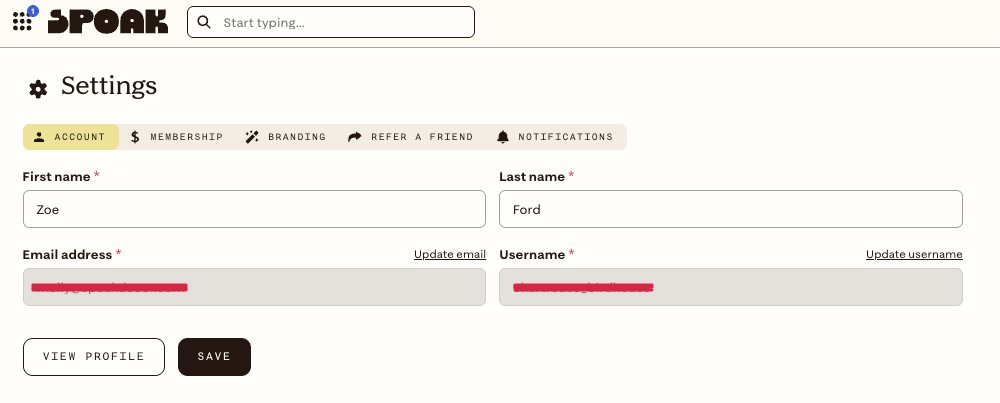
Changes take effect immediately across the studio and your public profile.
Email address & Username
- On the same account page, click either Update email or Update username
- Updating your email will log you out and you will need to log back in with your new email address and the same password.
- You can either update your username to a name of your choice or use one of our auto-generate usernames to remain anonymous
- Your username is what is shown in the conversation pit to other design lovers.